Megu / Digital closet / Compared
The best digital closet apps for iPhone, compared.
A digital closet app photographs what you own, files it, and helps you get dressed from it. Seven of them are worth your evening. One of them, Megu, is ours, and we say so wherever it matters. The rest are judged on what their own App Store listings promise and what they charge for it.
What a digital closet app actually does
Every app on this list does the same first job: you photograph each piece of clothing, the app stores it, and you end up with a scrollable, searchable copy of your wardrobe on your phone. The differences start immediately after that.
- Cataloguing. Does the app remove the background and name the piece for you, or do you crop and tag by hand? This decides whether digitising 40 pieces takes an evening or a weekend.
- The photo itself. Cutting out a background is table stakes now. The difference is what the piece looks like afterwards. Most apps keep the photo as it was taken: if the shirt was crumpled, at a bad angle, in bad light, that is what sits in your closet forever, and outfit boards built from it look like it. The alternative is an app that re-renders the piece into something you would put in a shop, and lets you fix it when the render gets a detail wrong.
- Getting dressed. Does it build outfits for you, and from what — your closet only, or your closet plus things it would like to sell you? Does it read the weather?
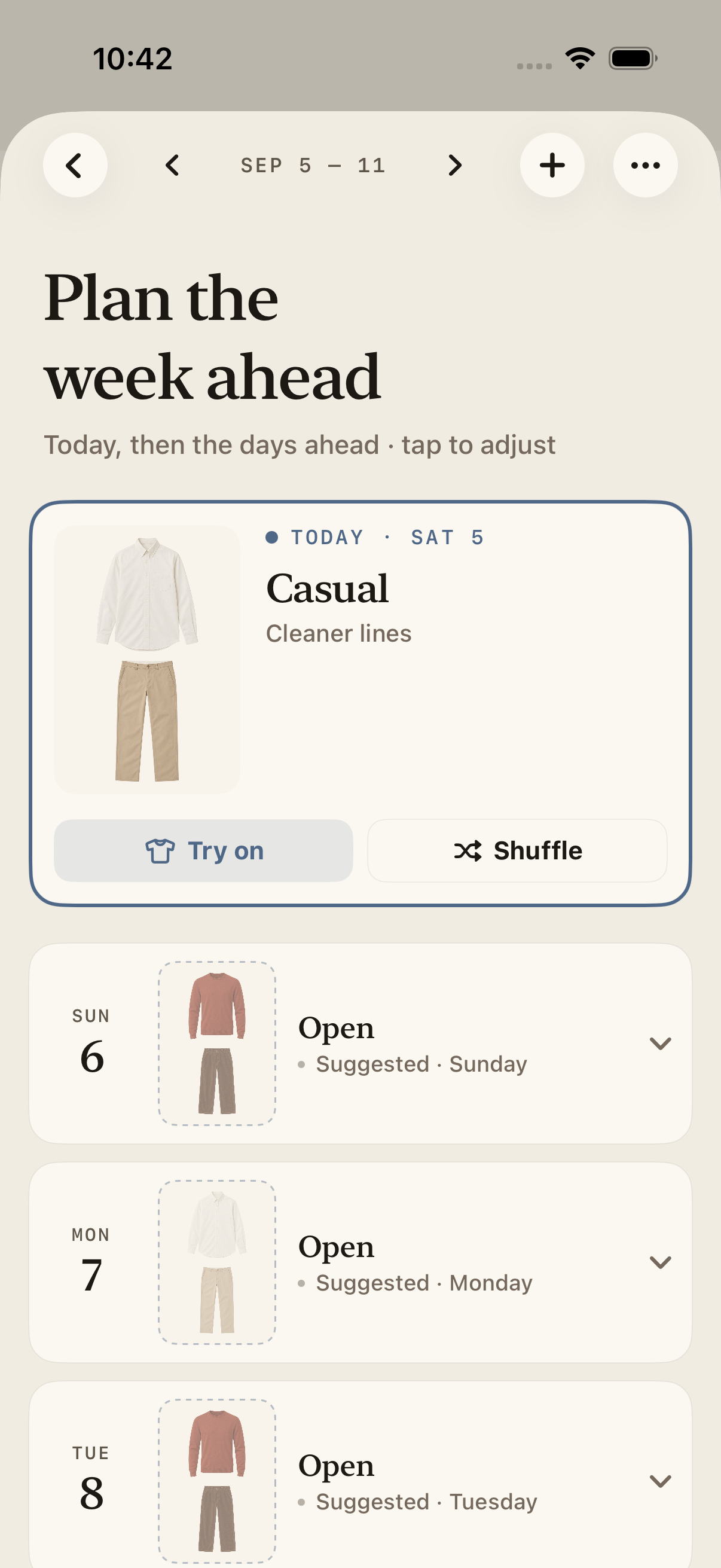
- Planning. Can it lay out a week, or a trip, so the Tuesday decision is already made on Sunday?
- Company. Some apps are a private tool. Others are a social network with a closet attached. Neither is wrong, but you should know which you are installing.
- Price. Free with a feed, free with a cap, one-time purchase, or subscription.
Seven apps, side by side
Price is what the US App Store listed on September 3, 2026. "Photo cleanup" is what each app says it does to the picture you take. "AI outfits" means the app itself assembles a look from your closet, not just a drag-and-drop board. "Weather" means the listing says outfits are matched to the forecast.
| App | Price (US) | Free tier | Photo cleanup | AI outfits | Weather | Social layer | Platform |
|---|---|---|---|---|---|---|---|
| Megu | Subscription, free trial; price shown in the app | Trial | AI Polish: re-rendered as a studio shot from any angle; fix it by describing what is wrong | Yes, closet only | Yes | None | iPhone |
| Whering | Free; optional credits and supporter tiers $0.99–$49.99 | Yes | Background removal | Yes | — | Yes, large community | iPhone, Android |
| Stylebook | $4.99 one time | No | Manual, in-app editing tools | No, manual | — | None | iPhone, iPad |
| Indyx | Free; membership $12.99/mo or $74.99/yr | Yes | Automatic removal, "editorial flatlays" | Boards; expert styling paid | — | Share closet with friends | iPhone, Android |
| Alta Daily | Free to download | Yes | Automatic, "studio-quality image" | Yes | Yes | Yes | iPhone, Android |
| Acloset | Free to 100 items; $3.99–$24.99/mo | Yes, capped | Automatic, "online-store-quality" | Yes | Yes | Yes, community | iPhone, Android |
| Cladwell | $7.99–$9.99/mo, $59.99/yr | Limited | Not described; photos optional, adds by URL | Yes, capsule-led | Yes | Capsule sharing | iPhone, Android |
Megu — a private closet that gets you dressed
Best for: someone who wants the closet catalogued fast, a look ready every morning, and no feed to keep up with.
This is our app, so read accordingly. Megu's whole design is that the closet builds itself: photograph a piece on the floor or on a hanger, and it lifts the garment off the background, names it, tags colour and category, and files it in about four seconds. Most people get through 30–40 pieces in an evening.
The part we would put up against any app on this list is AI Polish. Megu does not stop at cutting the background away: it re-renders the garment as a clean studio shot. Any angle, any light, crumpled on the bed or half on a hanger, the piece comes out looking like it does in a shop. Apps that only remove the background keep the photo exactly as you took it, so a bad photo is a bad closet entry. And when a Megu render gets something wrong, you tell it in plain words ("the logo is missing", "it is navy, not black") and Megu redoes it from your original photo. None of the other listings here describe a fix-by-description step. From there it proposes a daily outfit matched to the hours you will actually be outside, answers plain-language requests like "wedding tonight", plans a week or a suitcase in one sitting, and logs what you wore so you can see which pieces earn their hanger. It never recommends something to buy.
Where it will not suit you: it is iPhone only (iOS 18 or later), it is a paid subscription after the trial, and there is no community. If you want to share your closet or browse other people's, look at Whering or Indyx.
How Megu builds the closet · The daily look · App Store
Whering — free, social, and very large
Best for: anyone who wants a free digital closet and enjoys the social side of getting dressed.
Whering describes itself as the world's largest free social styling and closet app, with more than nine million users, and its App Store rating (4.7 from about 12,000 reviews) backs that up. The core closet is free; outfit generation and extras run on credits and optional supporter tiers from $0.99 to $49.99. It has lookbooks, outfit planning and a shopping sense-check built in. The trade-off is the one you would expect from a free social product: it is a community with a closet attached, and the styling tools are metered.
Stylebook — manual control, one-time price
Best for: people who like to do the tagging themselves and refuse to pay a subscription.
Stylebook has been around since 2010 and is still the reference for manual wardrobe management: import photos, build outfits, plan on a calendar, pack for trips. It costs $4.99 once, with no in-app purchases listed, and holds a 4.7 rating from around 8,800 reviews. What it does not do is the work for you: there is no automatic outfit assembly, and cataloguing is a hands-on job. If that sounds like a feature rather than a chore, it is the right app.
Indyx — the analytics closet
Best for: anyone who wants to know their cost-per-wear and get styled by a person.
Indyx removes backgrounds automatically, auto-tags with AI, and can add items from a forwarded receipt or a pasted product link. Its strength is the data layer: how often you wear a piece, what it cost you per wear, and whether that investment coat was worth it. Outfits are built on drag-and-drop boards; styling by a human expert is a paid service. Free to download, with a membership at $12.99 a month or $74.99 a year, and a 4.8 rating from about 1,500 reviews.
Alta Daily — the AI stylist with the press clippings
Best for: someone who wants an AI stylist first and a closet second.
Alta generates outfits from your closet, lifestyle, budget and the weather, includes virtual try-on, and has been featured widely in fashion press. It is free to download and carries a 4.9 rating from about 14,000 reviews. It is a broad, social product with a lot going on; if you want a quiet tool that does one thing every morning, it may feel like more app than you asked for.
Acloset — free to 100 items, then tiered
Best for: trying the whole idea before paying anything.
Acloset lets you build a closet of up to 100 items for free, cleans up snapshots into product-style images, offers daily outfits matched to the weather and your schedule, and has a community of several million users. Past 100 items you move to a subscription: $3.99, $9.99 or $24.99 a month depending on tier. Rated 4.4 from around 5,000 reviews.
Cladwell — for the capsule wardrobe
Best for: anyone building a capsule wardrobe and wanting daily outfits from it.
Cladwell has spent a decade on the capsule idea: organise the closet into small, purpose-built capsules (work, a season, a trip) and get outfit ideas scoped to the one you pick. It now includes a ChatGPT-powered style assistant. Pricing is subscription only — $7.99 to $9.99 a month or $59.99 a year — and it holds a 4.3 rating from about 1,000 reviews.
How to choose
- You want it done for you, privately, and want the photos to look like a shop: Megu.
- You want free and social: Whering.
- You want to own it outright and do it by hand: Stylebook.
- You want the numbers on what you wear: Indyx.
- You want a capsule wardrobe: Cladwell.
- You want to try before paying: Acloset's 100-item free tier, or Megu's trial.
Whichever you pick, the first evening is the same: photograph 30 or 40 pieces. Pick the app whose first evening you will actually finish.
Questions
What is a digital closet app?
An app that stores a photo of every piece of clothing you own, tags it by category and colour, and lets you search, filter and combine those pieces into outfits on your phone. The better ones remove the background automatically, suggest outfits from what you own, and track what you actually wear.
Is there a free digital closet app?
Yes. Whering is free with optional in-app purchases, Indyx and Alta are free to download, and Acloset is free for up to 100 items. Stylebook is a one-time purchase. Megu and Cladwell are subscriptions; Megu includes a free trial. Free tiers usually pay for themselves with a feed, credits, or a cap on how many items you can add.
Which digital closet app has the best photo cleanup?
Whering removes backgrounds; Indyx, Alta and Acloset say they go further and produce editorial or studio-style images automatically; Stylebook gives you manual tools; Cladwell does not describe any and lets you skip photos. Megu re-renders each piece as a studio shot with AI Polish and is the only one here that lets you fix a render by describing what is wrong. Try the free tiers with the same crumpled shirt and judge for yourself.
Do I have to photograph every item one by one?
In every app here, yes — one photo per piece. Most now remove the background and tag the item for you, so the work is the photo, not the data entry. Budget an evening for 30 to 40 pieces. Apps with a photo-library import let you add from pictures you already have.
Which digital closet app is best for iPhone?
It depends on what you want from it. For a private closet with daily weather-aware outfits and a week planner, Megu. For a free social app with a large community, Whering. For manual control at a one-time price, Stylebook. For wardrobe analytics, Indyx. For capsule wardrobes, Cladwell. Alta and Acloset are broad AI stylists with large user bases.
Do digital closet apps work on Android?
Whering, Indyx, Alta, Acloset and Cladwell publish Android versions. Stylebook and Megu are iPhone only.