
Megu / Blog / How to Digitise Your Closet in One Evening
How to Digitise Your Closet in One Evening
Digitising a wardrobe is one evening of work if you do it in the right order, and a weekend of dread if you do not. Here is the order.
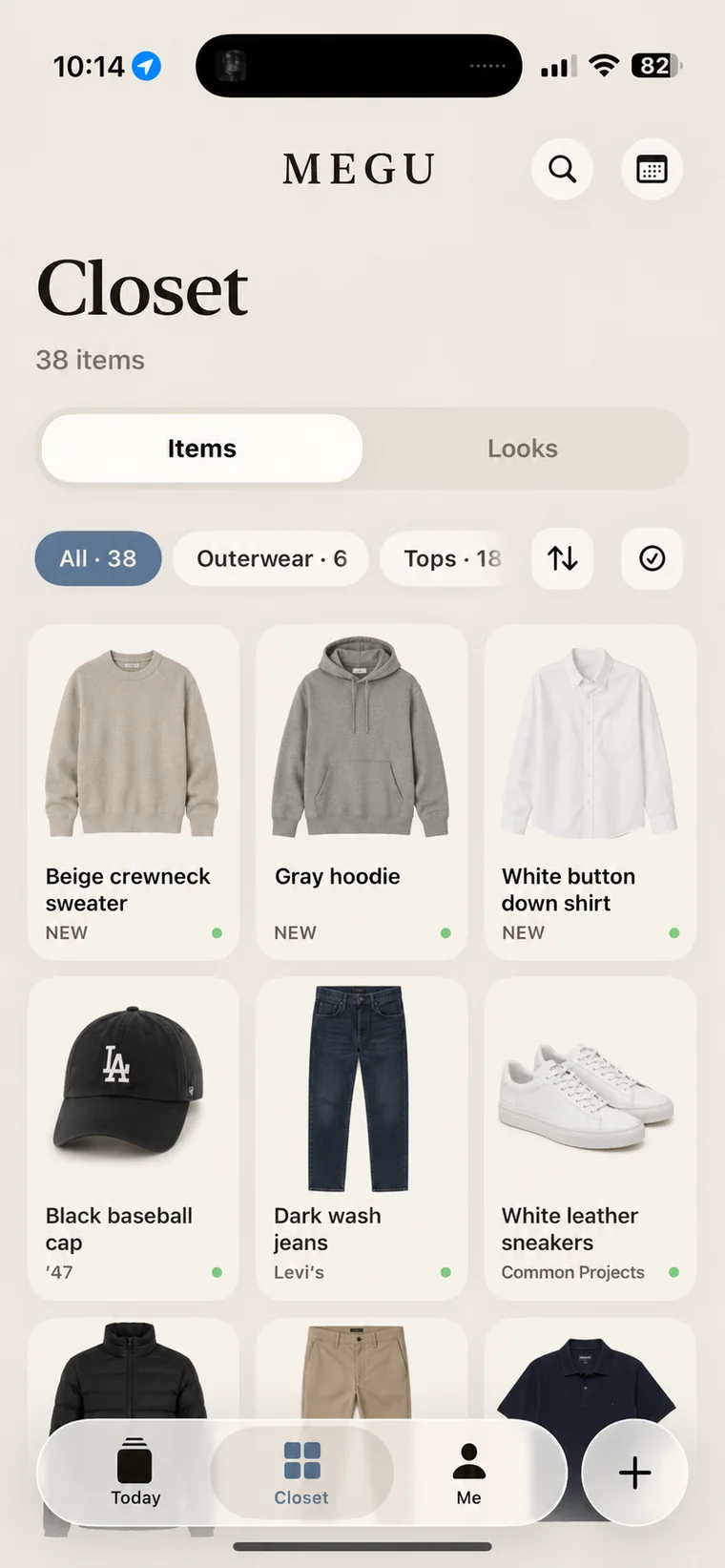
Before you start: pick the app for the evening, not the app for the year
A digital closet needs an image or catalog entry for each piece. Depending on the app, you can use your own photos, existing images, retailer imports or a built-in catalog. What differs is what happens to the photo afterwards. Background-removal tools work best when the garment is easy to distinguish from its surroundings. Check whether the app also lets you replace or edit an image. If the app re-renders the piece into a studio shot, as Megu's AI Polish does, you can shoot on the bed, on a hanger, at a bad angle, and move on. Choose accordingly; the evening is the hard part.
The order
- The ten you wear every week. Not the whole closet. The jeans, the three shirts, the jacket, the shoes. In most apps this is already enough to get a look tomorrow morning, which is the moment the thing stops being a chore and starts being useful.
- Everything on hangers, left to right. Do not take anything down. Photograph it where it hangs. If the app cannot handle a hanger and a wardrobe door behind the piece, that is a fact about the app.
- Folded things, one at a time, on whatever surface is nearest. Shake, lay, shoot, next. Do not fold it back yet; stack it.
- Shoes and bags last. They are the quickest and the most satisfying, and by now you are tired.
- Stop at forty. Seriously. The rest can be added one piece at a time, as you wear them. A closet app is not a museum catalogue; it is a working tool, and it works from the first ten.
How to take the photo
Fill the frame with the garment. That is the only rule that matters in every app. Lighting, angle and background matter in proportion to how little the app does for you. There is a longer guide on photographing clothes if you want it, but if you are using an app that polishes the image, you do not need it.
When a piece comes out wrong
It happens: the colour reads as black when it is navy, a logo disappears, a pattern goes soft. Do not re-shoot. In Megu, open the piece and use Fix Photo: describe what is wrong in a few words and the render is redone from your original photo. In other apps, look for an edit or re-crop tool. Either way, fix it later, not in the middle of the evening.
The next morning
This is the test. Open the app before you open the closet. If there is a look waiting that you would actually wear, the evening paid for itself. If you have to build one by hand from the grid, you have an inventory, which is useful, but you have not yet got the thing that makes people keep using these apps.
Questions
How long does it take to digitise a whole wardrobe?
Start with a small group of pieces you wear regularly; the time needed depends on the photos, connection and amount of correction required. You do not have to finish; the apps that work are useful from the first ten items, and the rest can be added as you wear them.
Do I need a plain background or a lightbox?
Only if the app keeps your photo as taken. Apps that re-render the garment into a studio shot, as Megu does, work from a hanger, a bed or the floor.
Can I add clothes from photos I already have?
In most current apps, yes. Megu takes a piece straight from your photo library and catalogues it the same way it would a fresh photo.
Open your closet.
Megu photographs your clothes, polishes each piece into a studio shot, and has a look ready before you are out of bed. iPhone, iOS 18 or later. Membership required; a monthly-plan trial is available to eligible new subscribers. Check the current terms in the app.

Keep reading
- How to Photograph Clothes for a Closet App — What the photo needs to contain, what it does not, and why the answer depends on whether your app keeps the picture as taken or re-renders it.
- Why Most Closet Apps Get Abandoned on Day Twelve — The three places a digital closet dies: the first evening, the first ugly cut-out, and the first morning with nothing waiting. How to get past each.
- What Is a Digital Closet? A Plain Explanation — A digital closet is a photographed, tagged, searchable copy of the clothes you own. What it is, what it is not, and what it is actually for.