
Megu / Digital closet
A digital closet that builds itself.
Photograph a piece — held, on a hanger, or still on the rail — and Megu lifts it off the background, names it, tags the colour and category, and files it. About four seconds each.

Membership required. Eligible new subscribers can try the monthly plan free. See the current price and trial terms in the app before subscribing.
Made for iPhone · iOS 18+ · Your closet stays yours
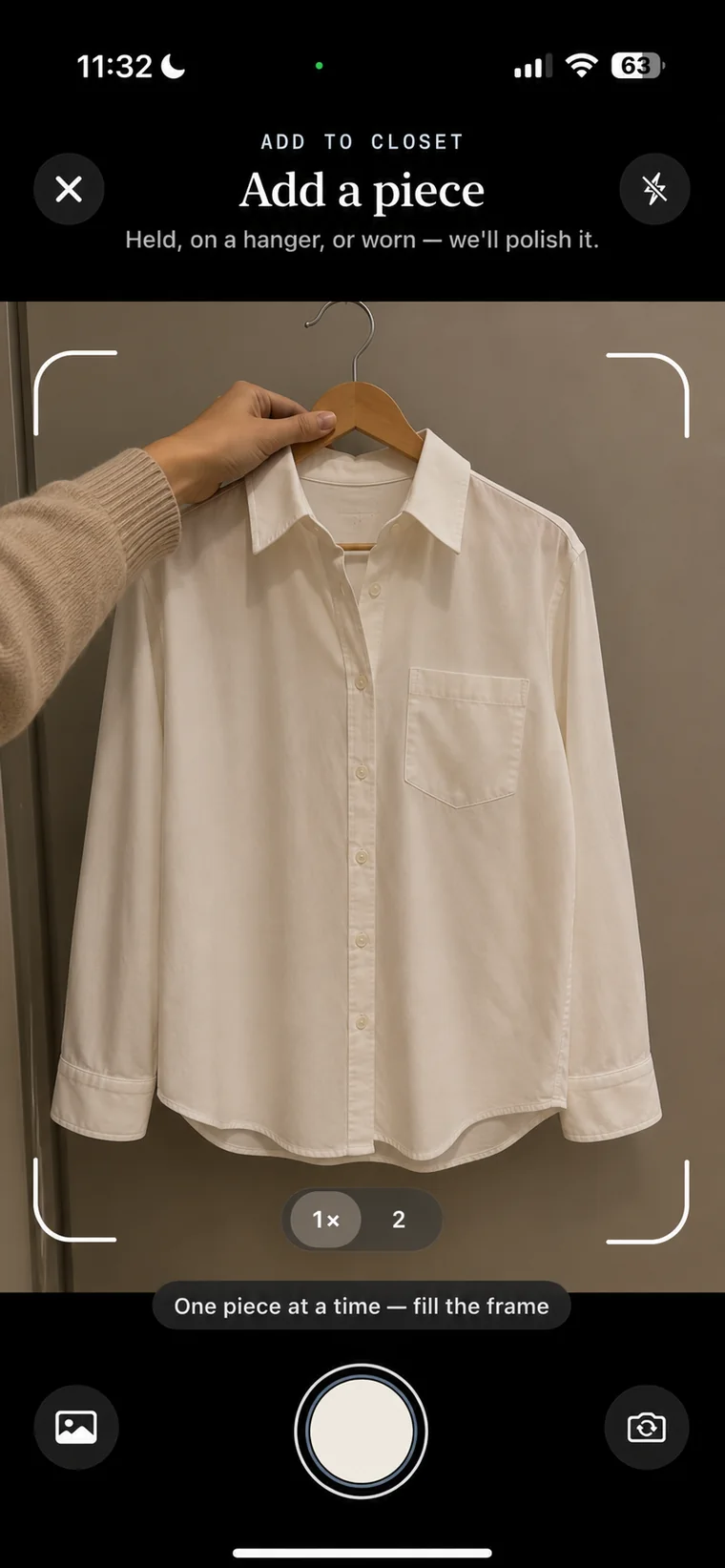
From photograph to catalogued piece, on average.
Garment cutouts are created on your iPhone, not on a server.
Pieces most people get through in a single evening.
How the closet gets built
One photo per piece. That is the whole job.
There is no spreadsheet to fill in, no tagging pass afterwards, and no need to hang anything up first.
No lightbox, no plain wall
Shoot it on the floor, on a hanger, over the back of a chair. Megu isolates the garment, then AI Polish re-renders it as a clean studio shot. Any angle, any light, crumpled or half on a hanger: it comes out looking like it does in a shop, instead of the photo you took staying in your closet forever. Anything that comes out wrong can be fixed by telling Megu what is off ("the logo is missing") with Fix Photo, straight from the original.
Everything in one grid
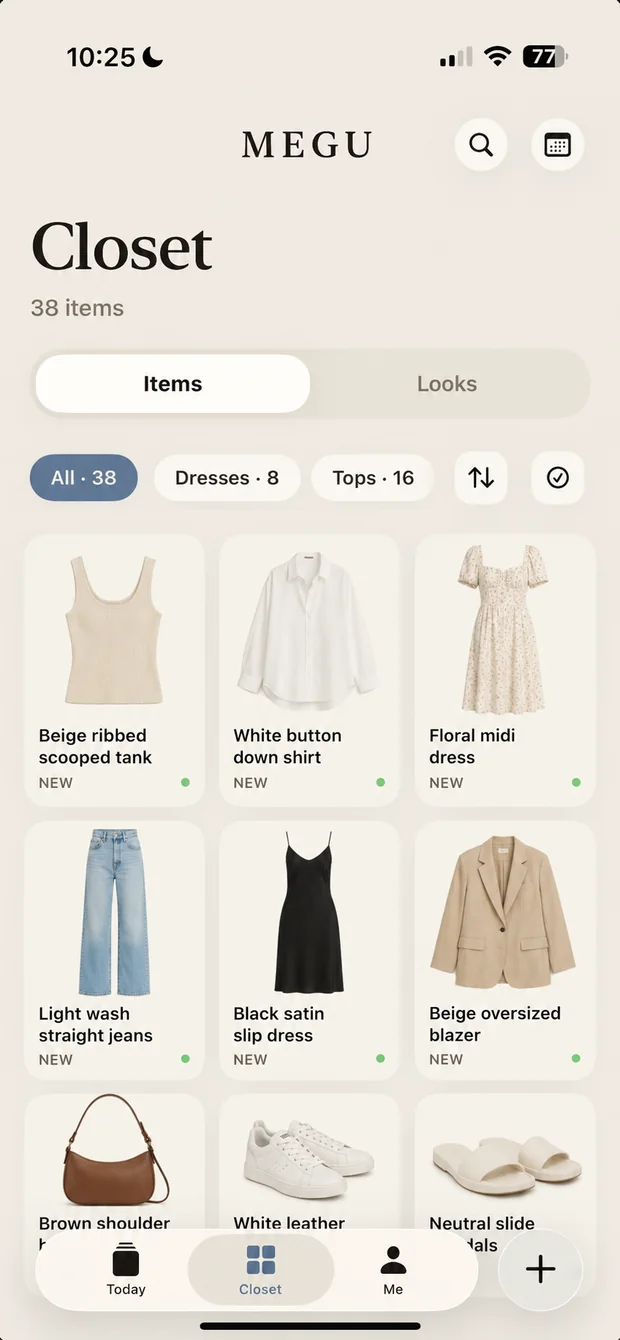
Your whole wardrobe in one place, searchable. Filter by kind, colour or season — or just scroll and rediscover the half of it you had forgotten you own.
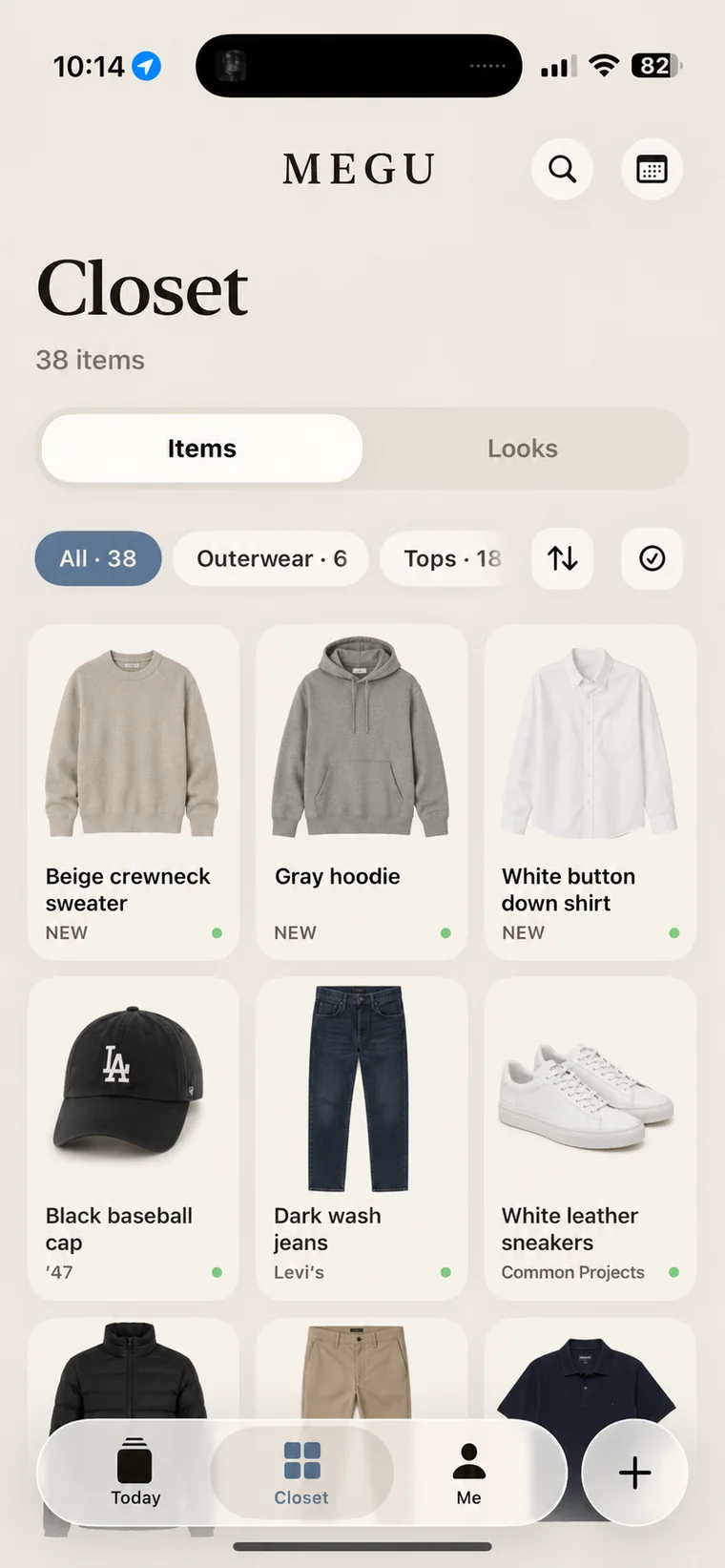
It already knows what each piece is
Every item gets a category, a colour and a style read at the moment you scan it, so filters and outfit suggestions work from day one. You never have to tag anything by hand.
The idea
What is a digital closet?
A digital closet is a copy of your wardrobe that lives on your phone: one photo per piece, cut out from its background, tagged by kind and colour, and searchable. It is not a shopping app and it is not a photo album. It exists so that the question "what do I own?" has an instant answer, and so that "what should I wear?" can be answered from it.
A digital closet app is only as good as the first evening. If cataloguing forty pieces means forty crops and forty forms, most people stop at twelve. Megu's whole design is that the closet builds itself, so the evening is spent taking photos, not filling things in.
The first evening
Digitise a wardrobe in one sitting.
Thirty to forty pieces is a normal evening. Here is the order that works.
1. Start with what you wear most
Not the whole closet: the ten pieces you reach for every week. Megu is useful from the first ten, and tomorrow's look will already be built from them.
2. Photograph where the clothes already are
On the bed, on the rail, over a chair. There is no lightbox and no white wall. Megu isolates the garment and cleans up the edges on your iPhone.
3. Let the tags happen
Each piece gets a name, a category, a colour and a style read the moment it is scanned. If a cutout comes out uneven, Fix Photo re-runs it from the original.
4. Add the rest as you go
New purchases are one photo each, from the camera or from your photo library, whenever you get round to it. Nothing has to be finished before Megu starts working.
Compared
How Megu compares to other digital closet apps.
Most closet apps do the same first job. They differ on whether the cataloguing is automatic, whether outfits are built for you and from what, whether the weather is read, and whether there is a feed. Megu is automatic, closet-only, weather-aware, and private: no followers, no shop, nothing to keep up with. It is iPhone only and a paid subscription after the trial.
We compared seven apps, including ours, on price, free tiers and what each one is actually for: the best digital closet apps for iPhone, side by side.
Questions, answered.
How long does it take to digitise a whole wardrobe?
Most people get through 30–40 pieces in a single evening. You do not have to finish in one sitting — Megu is useful from the first ten items, and you can keep adding as you go.
Do I need a plain background or good lighting?
No. Shoot it on the floor, on a hanger, on a chair. Megu removes the background automatically, and Fix Photo re-runs anything that comes out uneven.
Can I add clothes from photos I already have?
Yes. Add a piece straight from your photo library and Megu cuts it out and catalogues it the same way it would a fresh photo.
What happens to my photos?
Photos you add are used to build your closet — Megu cuts out the garment, tags it and files it. There is no feed and no social layer; how photos are handled is covered in the Privacy Policy.
Does it cope with a large wardrobe?
Yes. The closet is a searchable grid with filters by kind, colour and season, so it stays usable well past the point where a photo album would not.
Is Megu free?
Megu is a paid subscription with a free trial, so you can catalogue a closet and wear a week of looks before deciding. The price is shown in the app and on the App Store, and varies by country.
Is there an Android version?
No. Megu is made for iPhone and needs iOS 18 or later. The garment cutouts run on the phone itself, which is part of why it is fast.
Does it just store clothes, or does it get me dressed?
Both. The closet is the foundation; on top of it Megu builds a daily look matched to the weather, answers plain-language requests through the stylist, plans a week, and logs what you wear.
Open your closet.
Now on the App Store. Scan five pieces on day one and see what tomorrow morning feels like.