
Megu / Blog / How to Photograph Clothes for a Closet App
How to Photograph Clothes for a Closet App
There are two kinds of closet app, and they want two different photographs. Work out which kind you have before you start arranging shirts on the floor.
The two kinds of app
Cut-out apps remove the background and keep everything else. The crease is kept, the angle is kept, the shadow is kept. What you photograph is what sits in your closet grid and in every outfit built from it, for as long as you use the app. For these, the photo has to be good.
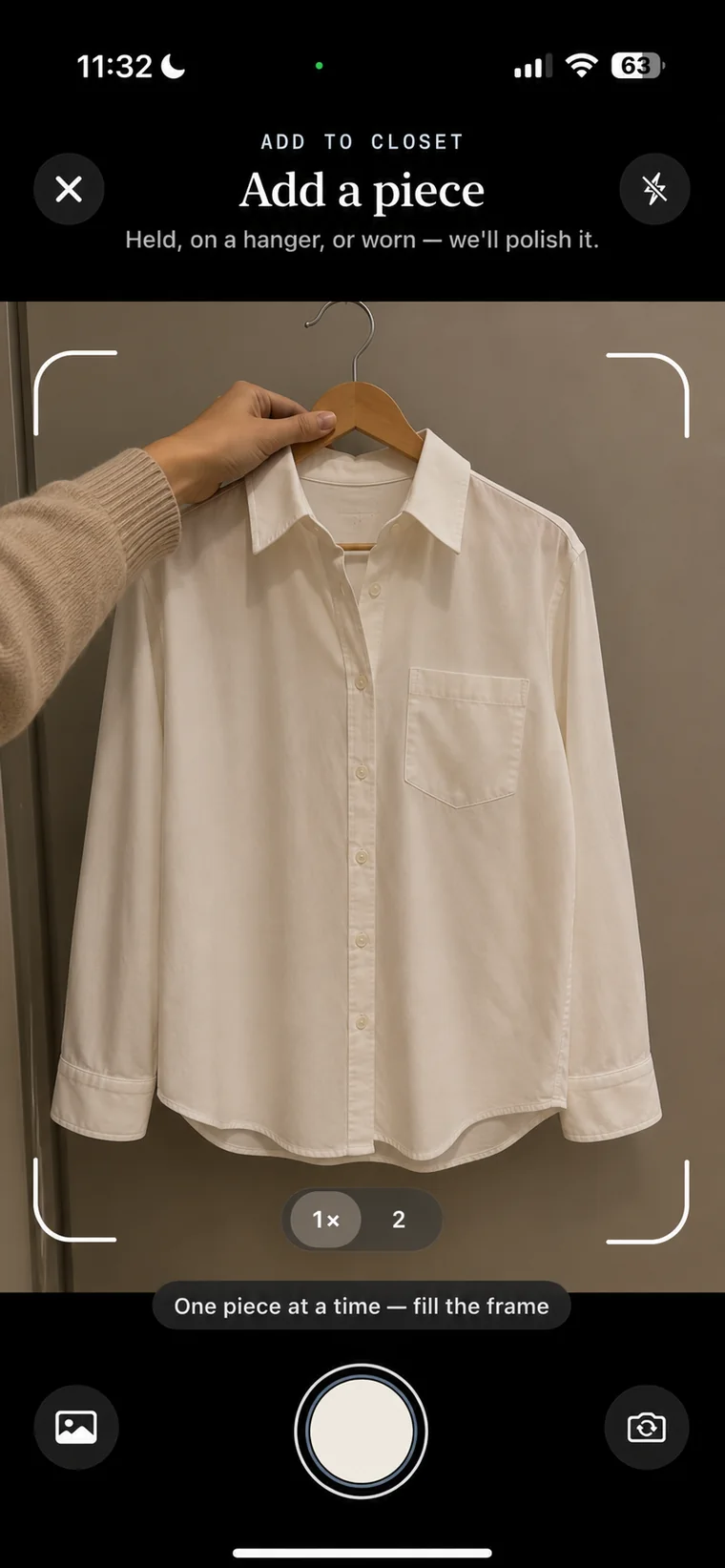
Re-rendering apps use the photograph as a reference and produce a new image of the same garment as a clean studio shot. Megu calls this AI Polish. Crumpled on the bed, half on a hanger, shot from above at an angle: the piece comes out looking like it does in a shop. For these, the photo has to be clear, and nothing else.
Rules that apply to both
- Fill the frame. The garment should be most of the picture. Apps read colour, pattern and shape from the pixels; give them pixels.
- One piece per photo. A shirt over trousers is two garments and will be read as one.
- Show the whole thing. Sleeves in, hem in. A cropped hem becomes a cropped hem forever in a cut-out app, and a guess in a re-rendering one.
- Colour over everything. If the room light is orange, a navy shirt reads as black. Daylight from a window fixes more than any other single change.
Extra rules for cut-out apps
- Lay the piece flat on a plain surface that is not the same colour as the garment. A white shirt on a white sheet has no edge to find.
- Smooth it. Every crease is permanent.
- Shoot straight down, not at an angle. A perspective-skewed shirt looks wrong next to a straight one.
- Button it, zip it, arrange the collar. This is the version of the garment you will see every day.
What you can skip with a re-rendering app
All of the above. Hangers are fine. The wardrobe door behind it is fine. A bad angle is fine. What you cannot skip is clarity: if the pattern is a blur, the render will guess. And you should check the result. A re-render that got the logo wrong or the shade off is a re-render you fix, not a photo you re-take. In Megu, Fix Photo takes a few words ("the stripes are thinner", "it is olive, not khaki") and redoes the render from your original.
Photos you already have
Product photos from a retailer's site, and pictures of you wearing the piece, both work in most current apps if the garment is clearly visible. Add them from your photo library instead of re-shooting. The rules above still apply: fill the frame, one piece, whole garment.
Questions
Do I need a lightbox to photograph clothes for an app?
No. For cut-out apps, a plain surface and window light are enough. For re-rendering apps such as Megu, you need neither; the render is a new image of the garment, not a cleaned-up copy of your photo.
Can I photograph clothes on a hanger?
Yes in any re-rendering app. In a cut-out app the hanger will usually be removed but the drape and creases of a hung garment stay in the picture.
Open your closet.
Megu photographs your clothes, polishes each piece into a studio shot, and has a look ready before you are out of bed. iPhone, iOS 18 or later. Membership required; a monthly-plan trial is available to eligible new subscribers. Check the current terms in the app.

Keep reading
- How to Digitise Your Closet in One Evening — A step-by-step method for photographing 30 to 40 pieces into a closet app in a single sitting, and why the order you do it in decides whether you finish.
- Megu vs Stylebook: AI Stylist or Outfit Boards? — Stylebook includes AI background removal and Outfit Shuffle. Compare its outfit boards with Megu’s AI stylist and weekly planner using official sources.
- What Is a Digital Closet? A Plain Explanation — A digital closet is a photographed, tagged, searchable copy of the clothes you own. What it is, what it is not, and what it is actually for.