
Megu / Blog / Megu on iPhone Duo: A Closet App for a Screen That Opens
Megu on iPhone Duo: A Closet App for a Screen That Opens
Apple's iPhone Duo, on sale from October 23, 2026, is two screens in one phone: a cover screen when it is closed and a wide inner screen when it opens. A closet app is one of the few things the extra width genuinely helps, because so much of getting dressed is looking at two things at once.
Does Megu work on iPhone Duo?
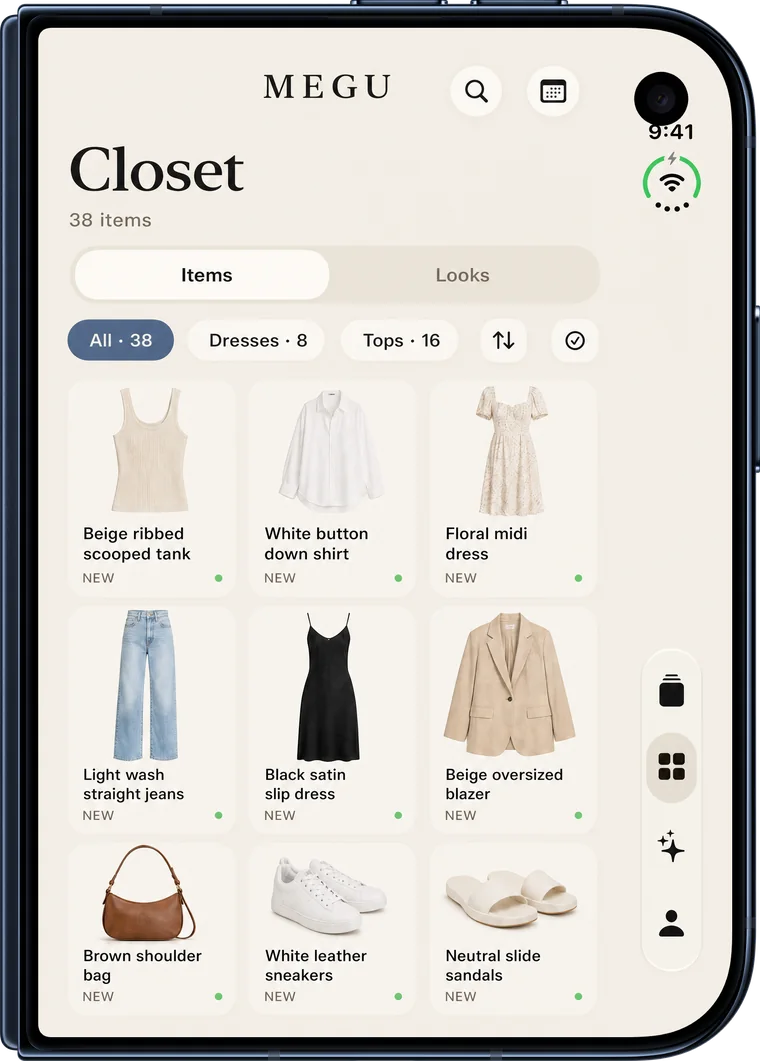
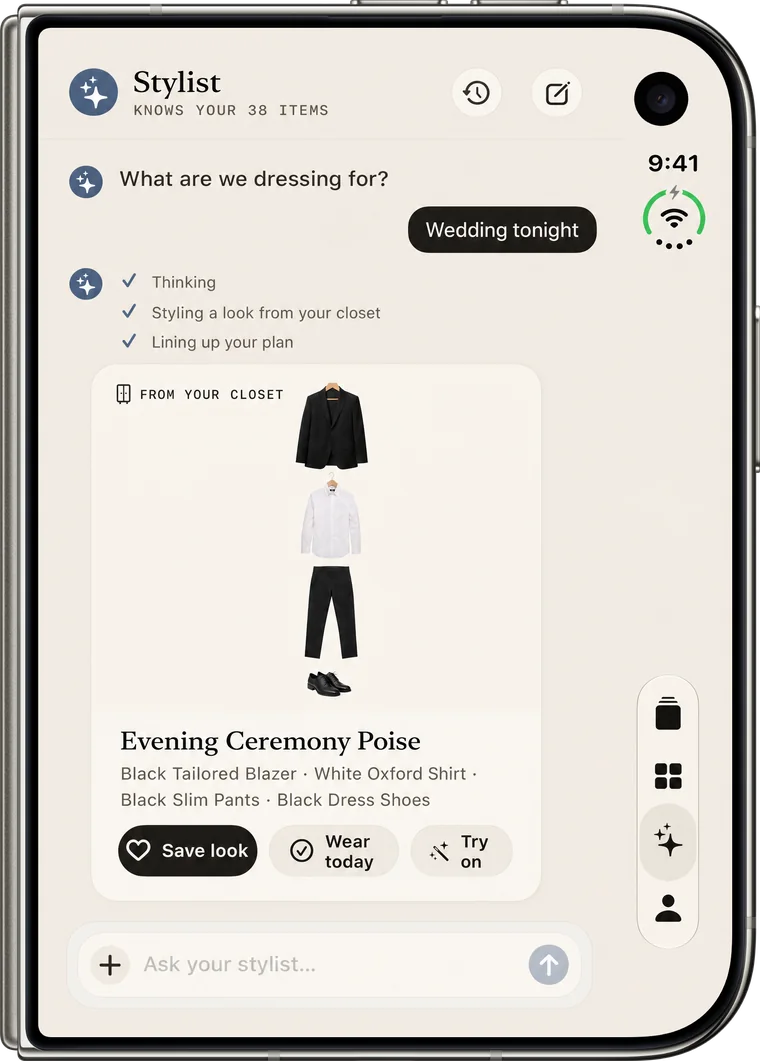
Yes. Since version 1.6, Megu works on the Duo folded or open. Folded, it behaves as it does on any iPhone, with its tabs down the side of the cover screen. Open and held sideways, its main screens split in two: the closet grid beside the piece you tapped, the stylist chat beside the look it built, and the day’s looks beside the details of the one you are on.
Folded: the phone you know
On the cover screen, Megu is the app you already use: the day's looks, your closet, the stylist and your profile. The cover screen is wider and shorter than other iPhones, so iOS moves the tab bar to the side, and Megu's screens follow it rather than fighting it.
Open: two things at once
Open the Duo and turn it sideways, and the screens that are about comparing things split into two panes:
- Closet. The grid stays on one side and the piece you tap opens on the other, so you can work along a row of shirts without losing your place. Until you tap one, the first piece stands in.
- Stylist. The conversation sits on one side and the latest look it built is shown large on the other. Ask for a change, and the new look takes its place.
- Today. You swipe through the day's looks on one side. The other side shows the one you are on: its name, why it works for the weather and the occasion, and the pieces in it. Swipe, and it changes with the card.
Longer pages, such as Settings and your style rules, stay in a readable column instead of stretching across the whole width.
Half-folded, upright, and in between
The Duo can stand half-open, like a book. In that position the two panes keep clear of the fold, so nothing you need to tap sits in the crease. Held upright while open, the screen is taller than it is wide, and the closet goes back to its single column, where a squeezed second pane would only hide things. Sheets such as the week planner float clear of the fold on their own.
Folding and unfolding keeps your place. Open a piece in the closet on the inner screen, close the phone, and the same piece is waiting on the cover.
Same app, same closet
There is nothing separate to install or buy for the Duo. It is the same Megu, with the same closet and the same membership, on any iPhone running iOS 18 or later. Moving from another iPhone, you sign in and your closet is already there.
Questions
Do I need a different version of Megu for iPhone Duo?
No. It is the same app from the App Store. The Duo layouts arrived in version 1.6 and switch on by themselves when the phone opens.
Does Megu work with the Duo half-folded?
Yes. Standing half-open like a book, the two panes keep clear of the fold.
Is my closet the same on my old iPhone and my Duo?
Yes. Your closet belongs to your account, so signing in on the Duo brings it with you.
Open your closet.
Megu photographs your clothes, polishes each piece into a studio shot, and has a look ready before you are out of bed. iPhone, iOS 18 or later. Membership required; a monthly-plan trial is available to eligible new subscribers. Check the current terms in the app.

Keep reading
- What an AI Stylist App Actually Does — The phrase covers everything from a rules engine to a chat window. What to expect from one, what it needs from you, and the difference between styling your closet and styling a shop.
- What Is a Digital Closet? A Plain Explanation — A digital closet is a photographed, tagged, searchable copy of the clothes you own. What it is, what it is not, and what it is actually for.
- How to Plan a Week of Outfits in One Sitting — A Sunday-evening method for laying out seven looks that do not repeat, survive a change in the weather, and leave room for the day that goes sideways.